← Blog
How-To
How to Apply for OneBlinc BlincAdvance — Step-by-Step 2026
Rachel T. Morrison CFP®
July 15, 2026 · 6 min read
1. Download OneBlinc on iOS/Android. 2. Create account — no credit card needed. 3. Connect bank via Plaid (30-90 seconds). 4. Get approved and request $50-$250. Full process: about 5 minutes.
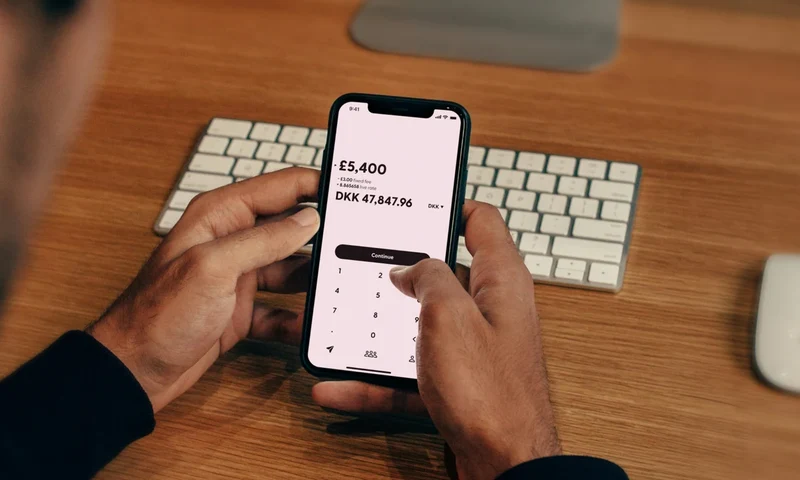
Have these ready before starting: a smartphone with iOS 14+ or Android 8+; a U.S. personal checking account (not savings, not business) that is at least 60 days old; your online banking login credentials for the Plaid connection; your email address, phone number, date of birth, and residential address. You do NOT need a credit card, pay stubs, employer verification, or a minimum credit score.
Search "OneBlinc" in the App Store or Google Play. Install the free app. Open it and tap "Get Started." Enter your email, create a password, and verify your phone number with the SMS code. Enter your name, date of birth, and residential address. Your 30-day free trial begins immediately — no payment required.
Tap "Connect Bank" and search for your financial institution in the Plaid-powered interface. Enter your online banking username and password. These credentials go directly to Plaid's encrypted servers — OneBlinc never sees or stores them. OneBlinc's algorithm then analyzes 60 days of your transaction history in 30–90 seconds. No credit check is performed. Your first advance limit ($50 for new users) appears immediately after approval.
Tap "BlincAdvance" on the home screen. Select your advance amount (up to your current limit). Choose delivery speed: Standard (free, 2–3 days) or Express ($4.99–$9.99, same day). Confirm the request. That's it — your money is on the way.
Bank connection fails: Try your bank's website credentials instead of app credentials. If your credit union is small, contact OneBlinc support about manual bank connection. Account not eligible: Most common cause is bank account under 60 days old. Wait and reapply after the 60-day mark. Low starting limit: This is normal. $50 is the standard starting point for all new users — not a reflection of your eligibility. Use it, repay it, and your limit will grow.
Start using OneBlinc during your 30-day free trial, not just before an emergency. Take a $50 advance immediately after approval, even if you don't urgently need it. Repay it on time. Repeat. Each successful repayment moves you toward the $250 maximum. Most users who start immediately reach $250 within 2–3 months — users who wait for emergencies average 3–5 months because they miss repayment cycles.
Many first-time applicants expect their $50 advance to arrive within minutes of approval. Understanding the actual delivery timeline prevents confusion and helps you plan around your cash need.
After requesting your advance, standard delivery typically arrives in the following timeframes: same business day if requested before 11am ET on a weekday; next business day if requested between 11am–5pm ET on a weekday; two business days if requested after 5pm ET or on weekends. These are estimates — actual delivery depends on your bank's ACH processing speed. Chase, Wells Fargo, Bank of America, and most major banks process ACH within the stated windows. Some credit unions and smaller community banks may take an additional business day.
Express delivery ($4.99–$9.99) transfers within 15 minutes regardless of time of day, including weekends. For genuine emergencies, this is the option to use. The express fee is charged in addition to your monthly subscription, so factor this into your cost calculation.
OneBlinc automatically withdraws your advance amount from the connected bank account on your next expected payday. You repay exactly what you borrowed — no interest, no additional fees beyond the monthly subscription. If your payday falls on a weekend or holiday, repayment typically processes the following business day.
A common concern among first-time users: what if my paycheck is delayed or my balance is low on repayment day? OneBlinc's system attempts repayment once on the scheduled date. If the withdrawal fails due to insufficient funds, OneBlinc will contact you through the app to arrange an alternative repayment date. There are no NSF fees charged by OneBlinc (though your bank may charge its own NSF fees). Multiple failed repayments will affect your Loyalty Level standing and may reduce your advance limit or result in account suspension, so it's important to ensure your balance covers the repayment amount on payday.
These strategies are drawn from experienced OneBlinc users and our own 90-day testing period. First, connect your primary checking account — the one with the most transaction history and the most consistent income deposits. Connecting a newer account or a secondary account often results in a lower initial advance limit or rejection. Second, apply after at least two of your most recent paychecks have appeared in the account. This gives OneBlinc's algorithm the clearest possible picture of your income pattern. Third, if you're on a bi-weekly pay schedule, apply in the first week after your most recent paycheck — not the week before. Your balance is highest immediately after payday, which signals to the algorithm that you manage your finances well.
Fourth, take your first $50 advance during the 30-day free trial even if you don't urgently need it. This starts the Loyalty Level clock and earns you a repayment milestone toward higher limits, all during the period when the $8.99 subscription hasn't yet begun. Fifth, repay on the scheduled date — never late. On-time repayment is the single most impactful factor for increasing your advance limit over time.
Plaid connects to 10,000+ U.S. financial institutions, but smaller credit unions and community banks may not be listed. Solutions: (1) Search by your credit union's name, not its acronym. (2) Try both the credit union's consumer banking URL and its business banking URL credentials. (3) Contact OneBlinc support for manual bank verification — available for banks not on Plaid's list.
$50 is the universal starting limit for all new OneBlinc users regardless of income level, bank balance, or account history. This is not a rejection — it's the standard onboarding limit. The path to $250: Take your $50 advance. Repay it on time. Repeat. Each successful repayment increases your limit. Timeline: $50 → $100 (2 repayments, ~6 weeks) → $200 (4 repayments, ~2-3 months) → $250 max (6+ repayments, ~2-4 months).
OneBlinc processes repayments on your next scheduled payday as identified from your bank transaction history. If your payday has changed (new job, different pay schedule), contact OneBlinc support before the repayment date to update your schedule. Unsupported repayment timing can cause NSF (insufficient funds) situations.
Apply during the free trial — not just when you're in a crisis. Users who connect OneBlinc proactively and take a first advance before an emergency hit $250 limits significantly faster. Enable direct deposit on your connected account if possible — OneBlinc's algorithm responds positively to consistent, predictable deposit patterns. Consider standard delivery (free, 2-3 days) for non-urgent needs to avoid the $4.99-$9.99 express fee adding up over time.
Most guides stop at "you're approved." Here's what actually happens in the days and weeks after your BlincAdvance application is accepted, so you can plan accordingly.
Day 1 — Approval: You receive an in-app notification confirming your account is active and your starting advance limit (always $50 for new users). Your 30-day free trial begins. You can request your first $50 advance immediately.
Day 1-3 — First Advance (Standard Delivery): If you request standard free delivery, the $50 ACH transfer arrives in 2-3 business days. Express delivery ($4.99-$9.99) arrives within minutes during business hours. Your repayment date is set automatically for your next payday as detected from your bank's deposit history.
Payday — Automatic Repayment: BlincAdvance initiates an ACH debit for the exact advance amount from your connected bank account on your payday. You receive a notification when the repayment is processed. No manual action is required.
After First Repayment — Limit Review: Following each successful on-time repayment, the Loyalty Level system evaluates your account for a limit increase. Most users see their first increase ($50 → $100) after 2 on-time repayments. The path to $250 typically takes 6-8 on-time repayments over 2-4 months.
Complete these steps before opening the app to maximize your approval probability and starting limit progression speed.
The most common complaint about BlincAdvance is the $50 starting limit. The most common cause of users staying at $50 is using the app reactively (only in emergencies) rather than proactively. Here is the strategy that reaches $250 in the shortest time.
Start your 30-day free trial during a period when you know your income will be stable for at least 3 months. On day 1, request a $50 advance regardless of whether you need it. Put the $50 in a savings account or envelope. On your next payday, let BlincAdvance auto-repay the $50. Immediately after repayment, request another $50. This creates a continuous advance cycle that signals consistent, low-risk usage to the algorithm. Users who follow this pattern typically reach $250 within 8-10 weeks — half the time of users who only advance when in crisis.
If you genuinely cannot afford to cycle $50 without needing it, simply advance when needed and repay on time. The limit will still increase — just more slowly (3-4 months to $250 rather than 8-10 weeks).
Ready to get your OneBlinc advance?
Get My $250 Now →